Home service businesses can spend heavily on SEO, Google Ads, Local Services Ads, and other lead-generation channels, then still lose valuable opportunities because follow-up is slow, inconsistent, or scattered across different systems.
A CRM helps close that gap by organizing leads, customer conversations, follow-up, sales opportunities, and lead-source data in one place. For HVAC companies, plumbers, roofers, electricians, restoration contractors, and other home service businesses, that visibility becomes more important as lead volume and marketing activity grow.
What Is a CRM?
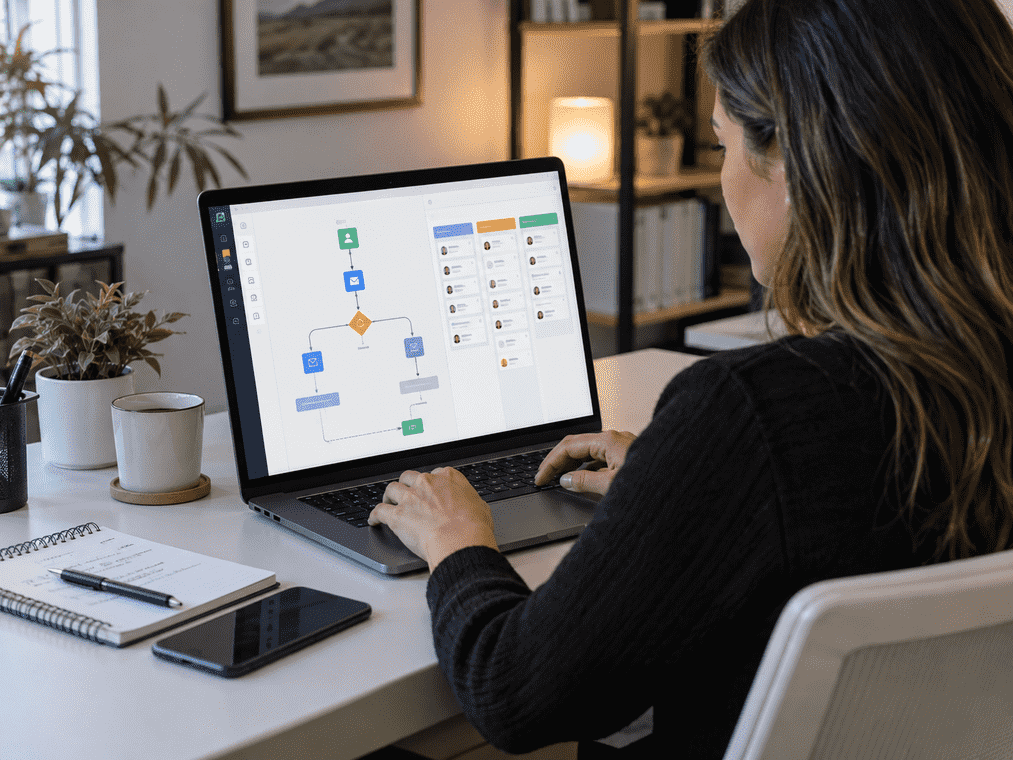
A CRM is software that stores customer and prospect information, tracks interactions, manages leads and sales opportunities, and helps businesses organize or automate follow-up throughout the customer lifecycle.
For home service companies, a CRM can help manage inquiries, estimates, appointments, communications, sales pipelines, and marketing attribution from one centralized system.
Capture inquiries from calls, forms, ads, referrals, and other sources.
Store contact details, conversations, lead source, and sales activity.
Manage appointments, estimates, automation, and sales opportunities.
What Does CRM Mean?
CRM stands for customer relationship management. In everyday business use, CRM usually refers to software that organizes prospect and customer information in one central system.
The value of a CRM is not just storing customer data. It gives your team visibility into what has already happened and what needs to happen next.
Why Is a CRM Important for Home Service Businesses?
Home service leads often move across multiple touchpoints, from Google and phone calls to forms, estimates, appointments, and follow-up. Without one central system, those interactions can easily become disconnected.
- Lead details live in different places
- Follow-up depends on memory
- Teams lack a complete customer history
- Marketing cannot easily see which leads became customers
- Customer interactions stay connected
- Lead ownership is clear
- Follow-up can be tracked or automated
- Sales and marketing gain better visibility
A CRM Helps Home Service Businesses Respond Faster
When a homeowner has an urgent HVAC, plumbing, roofing, or electrical problem, speed matters. A CRM helps your team move new inquiries into a clear follow-up process instead of leaving them in an inbox or voicemail.
The real advantage is visibility. Your team can quickly see who the lead is, what has already happened, and what needs to happen next.
A CRM Keeps Leads From Falling Through the Cracks
Home service leads can enter your business from several channels. When those inquiries live in separate systems, follow-up becomes harder to track and opportunities are easier to miss.
A useful CRM gives every opportunity a clear place in the sales process so your team knows what has happened and what needs attention next.
CRM Software Creates a Central Customer History
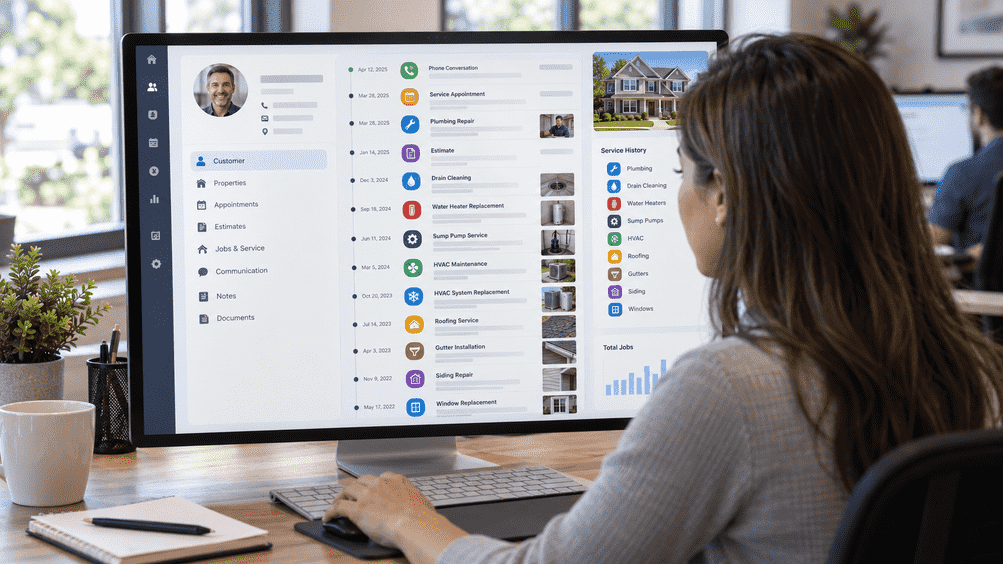
Home service customers often return for additional services. A CRM keeps their history connected so your team can quickly see previous conversations, appointments, estimates, services, notes, and follow-up activity.
Customer information stays with the business instead of being scattered across individual phones, inboxes, or employee memory.
CRM Automation Makes Follow-Up More Consistent
Not every homeowner books immediately. CRM automation can keep important follow-up moving based on what the customer actually does.
Good automation supports timely communication. It should not overwhelm customers with unnecessary messages.
A CRM Can Help Track Marketing Performance
Lead counts alone do not show which marketing channels are producing valuable customers. A properly configured CRM can connect lead sources with what happens later in the sales process.
Which sources generate qualified leads, booked appointments, and actual customers?
Attribution is not always perfect, but connecting marketing activity with sales outcomes gives contractors far more useful information than clicks or raw lead totals alone.
CRM vs. Field Service Management: What Is the Difference?
A CRM manages the customer relationship and sales process. Field service management software manages the operational work after a job is scheduled.
Customer & Sales Management
- Customer records
- Lead tracking
- Sales opportunities
- Communication
- Follow-up and nurturing
- Sales pipelines
- Marketing attribution
Field Operations
- Technician scheduling
- Dispatching
- Work orders
- Route management
- Inventory and equipment history
- Job costing and pricebooks
- Invoicing and field execution
Many home service companies use both. The goal is to make sure customer, sales, and field-service systems work together without duplicating data or creating extra manual work.
What Can a Home Service CRM Help Manage?
A home service CRM helps organize leads, customer communication, follow-up, sales activity, reviews, and marketing automation in one system.
| CRM Area | What It Can Help Manage |
|---|---|
| Lead & Sales Management | Contacts, lead tracking, sales pipelines, estimates, tasks, and follow-up. |
| Customer Communication | Calls, SMS, email, appointment communication, and conversation history. |
| Retention & Reputation | Review requests, customer segmentation, reactivation, and marketing campaigns. |
| Reporting & Automation | Lead-source attribution, sales reporting, notifications, automated workflows, and AI-assisted communication. |
Duplicate contacts, inaccurate lead sources, and poorly configured workflows can make automation and reporting less reliable.
How Home Service Businesses Can Use a CRM
Different trades have different sales cycles, but a CRM helps keep leads, follow-up, customer communication, and sales opportunities organized in one system.
HVAC Companies
Organize repair, maintenance, replacement, indoor air quality, and commercial leads with follow-up based on the opportunity.
Plumbing Companies
Track urgent inquiries, missed calls, estimates, repeat customers, and lead sources without losing follow-up.
Roofing Contractors
Track longer sales cycles from the first inquiry through inspections, estimates, follow-up, and signed contracts.
Electrical Contractors
Manage service calls and larger opportunities such as panel upgrades, generators, EV chargers, and rewiring projects.
Restoration Companies
Route urgent property-loss inquiries quickly while tracking ownership, communication, lead sources, and follow-up.
Remodeling Companies
Keep consultations, site visits, proposals, revisions, and follow-up organized throughout a longer sales cycle.
What Should Home Service Businesses Look for in a CRM?
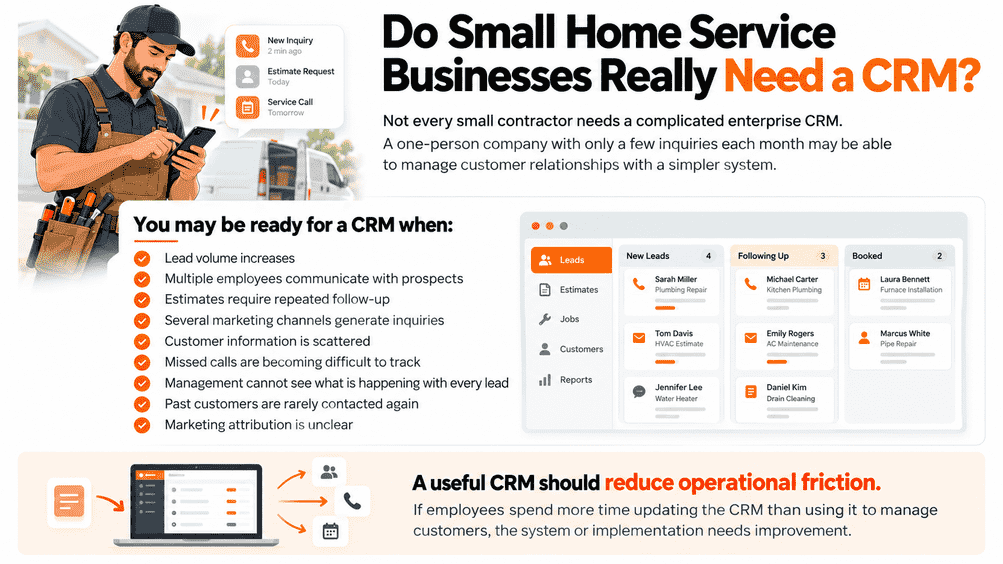
The best CRM is not the one with the most features. It is the one that fits how your business captures leads, follows up, tracks estimates, and measures results.
Lead-Source Tracking
Know whether leads came from SEO, paid ads, referrals, forms, or other channels.
Clear Lead Ownership
Make sure every new inquiry has a responsible team member and next action.
Missed-Call Follow-Up
Help your team respond quickly when a homeowner calls but nobody answers.
Appointment & Estimate Tracking
Keep open opportunities visible from the first inquiry through the sales process.
Customer Reactivation
Reconnect with past customers for maintenance, repeat service, or relevant offers.
Reporting & Integrations
Connect your CRM with the tools your business already uses and track what drives results.
Choose the CRM that supports your actual workflow, not the platform with the longest feature list.
CRM Implementation Matters as Much as CRM Features
Powerful CRM software will not fix a weak sales process by itself. The system needs to match how your business captures leads, follows up, manages customer data, and measures results.
Build a Clear Sales Process
- Clear sales pipelines
- Accurate lead-source tracking
Connect the Right Workflows
- Correct automation triggers
- Reliable integrations and reporting
Keep the System Reliable
- Clean customer records
- Team training and permissions
The real value comes from the CRM system and processes built around how your team actually works.
A CRM Does Not Replace Good Sales and Customer Service
CRM software can improve organization and follow-up, but it cannot fix fundamental problems in the sales or customer experience.
- It will not make an unhelpful salesperson effective
- It will not fix poor service or weak pricing
- It will not create strong reviews automatically
- It will not fix a confusing sales process simply because automation is enabled
Help your team manage the opportunities you already generate more consistently through better lead tracking, follow-up, communication, and pipeline visibility.
If your business is already investing in SEO, paid advertising, local search, and other lead-generation channels, improving what happens after the lead arrives may create more value than simply buying more traffic.
CRM Is Becoming Part of the Home Service Marketing System
A modern CRM does more than store contacts. It can connect marketing, lead follow-up, sales activity, customer communication, reporting, and retention in one system.
When marketing, CRM, sales, and field-service systems work together, contractors can better see which lead sources become appointments, customers, and repeat business.
Build a Better CRM System With Legacy Digital Marketing
At Legacy Digital Marketing , we help home service businesses connect lead generation with the systems used to track, follow up with, and convert those opportunities.
Our CRM and automation services can support the full lead-management process, from the first inquiry through appointment booking, estimate follow-up, customer reactivation, and marketing reporting.